Friday, April 14, 2006

A Web 2.0 Conference in Toronto

A conference on Web 2.0 called mesh! - In Toronto, May 15 & 16. Looks interesting -
meshConf
I've signed up, and am looking forward to learning and discussing.

tags


Monday, April 03, 2006

Browsers & Reading with RSS

Now that you've read and learned something about browser-decisions, using browsers, and, browser tabs, it's time to learn about how to use what you can find with those browsers, and how to do it easily.

"RSS" can be a mysterious and intimidating code, but it's really very simple - "Real Simple Syndication", that is. Many blogs and websites have RSS or something similar called Atom, or some other less well-known technical trick, which you can find on their sites. For example, if you look to the right, immediately under "Links" - you can see the link I provide, called Subscribe to WebToolsForLearners. Other sites often have an icon that looks like this -
RSS
If you do an ordinary (right) click on it, you'll see a page of techical gobbledegook, like this -
RSSpage
or a simpler, cleaner page if they're using a service like Feedburner, as I do -
Feedburner
Basically, you ignore these pages. You left (or Apple) click on the RSS link, or whatever subscription link, copy the link, and then you go to an aggregator and paste it in. Before you can do that, though, you have to know what an aggregator is and have an account on one.

Kathleen Gilroy describes what aggregators are here - an excerpt -

With an aggregator, subscription channels are called RSS feeds. The “SS” in RSS stands for Site Summary because that is typically what a feed contains – a summary of what is on a blog or web site. When something new – an article, a photo, a podcast - is published, it automatically goes out in the RSS feed. If the aggregator is tuned – or to use RSS language, subscribed – to that feed, it collects whatever is in the feed. In terms of the user experience, RSS aggregators can be thought of as “Tivo” for your desktop. You subscribe to a set of channels through which information will flow. Aggregators can subscribe to feeds from every major media outlet and of course the huge blog universe. But feeds are not limited to blogs and news. Aggregators can also subscribe to a feed that lists the new books available at your library, or the latest changes to a company’s policy manual, or the houses for sale. A feed is just an envelope and the possibilities for what it can receive in that envelope are limitless.


There are many aggregators; TechCrunch supplies a list in this post.

I use Bloglines, a very popular aggregator that looks like this -
BloglinesSub
To suscribe to the blog or site I am interested in, I have clicked on "Add" (just under the Bloglines logo on the left) and I simply paste the RSS url I saved when I left (or Apple) clicked on a blog I want to read regularly. I paste it in on the right, where it is indicated. And the blog joins the list on the left, easily available for me to read when I go to Bloglines.

More about aggregators and how amazingly useful they are in a future post.

tags


Tuesday, March 21, 2006

Browser Tabs

Another post on browsers!

I like Firefox, Mozilla, and Safari better than IE, (Internet Explorer) because they have tabs and IE doesn't, at least not yet. What are tabs, and why do I like them? Here's a picture -
tabs
Using my Firefox browser, I have 3 tabs open, three different URLs are available to me at a click

- the lighter tab is the one I was on when I took this screenshot, WebToolsForLearners, this blog,

- plus my Elgg blog with my name showing, and

- an interesting blog, The Adventures of Accordian Guy, a Toronto blogger.

I can move back and forth between any of these without opening new pages. I can have more tabs, and, when I click on a link in Firefox, if it is set to open in a new page, it will open as another tab. I don't get lost in a pile of open pages; I have them all laid out side-by-side.

What's the point of having more than one URL open at the same time? Sometimes it's useful when working on a project. Say I'm writing up a post, like now, and I decide I could communicate better if I showed a picture, I can go to File and open a new tab. Then I can go to my Bookmarks Toolbar and click on my bookmarked Flickr account and find the screenshot jpeg I uploaded earlier, get the size I want, and copy its URL. Then I click back into the tab with my my Blogger post and paste the URL into my post. Two tabs, two sites open, and moving back and forth between them.

Or I could be writing up something in Word, and want to look up a point in Wikipedia, and keep Dictionary.com open to check obscure word meanings - no problem - with tabs.

I have my Firefox set so it opens with two homepages, two tabs. There are lots of uses. Now, before I save this post, I'm going to add some Technorati tags. I never remember the HTML, so I'll open a new tab, click on my bookmarked link to the Technorati page that gives my the HTML for tagging, click back into this tab, paste the HTML in, and then add the words of the tags. Back and forth - no problem.

And I get the links to add to my text the same way, using a tab opened beside my post workspace.

tags

Monday, March 13, 2006

Using Browsers - Works Best With ...

After my last class I was talking to one of the computer-savvy students about some trouble I have having playing some of the audio files for the most recent class assignment. He told me that I should be using IE (Internet Explorer). He agreed that it wasn't as good as FireFox in many ways, but it has an important strength. It is the most used, and most web applications are designed to work with IE while they aren't always designed to work well on other browsers. So I've taken his advice and opened my IE so I can use it to listen to my students' recordings of their narratives.

I accepted his advice because I respect his knowledge, and because I've stumbled against this problem myself more than once. I use a Mac platform, and I love my little iBook and OSX. And I really like Safari, the browser that came with it. But far fewer people use the Mac platform than use Windows and although most applications work quite well on the Mac platform, sometimes exclusively Mac
applications don't get as much support. Here's a small example.

Sometimes I forget to use Firefox for composing a Blogger post, and start doing it in Safari. This is not a good idea -
compBrow
As you can see, above, I get more Browser usability in Firefox than in Safari, so I like to use Firefox when I'm composing, like now.

My computer-savvy student also suggested I use Mozilla, which is connected with Firefox, but not as trendy or adaptable. I've always liked Mozilla, which is what Netscape morphed into, so I might re-download it. It has Composer, which is a free, really easy, really handy WYSIWYG webauthoring application.

The short story:
My current favorite browsers: Safari, Firefox & Mozilla. Sometimes I use IE.

tags


Monday, March 06, 2006

Academic Research is Changing!

Anyone who does academic research, or teaches others to do it, is facing a rapidly changing landscape.

From Educause,
via a feed in my Bloglines Account -

"The European Commission is to build a European digital library able to display around six million books, photographs and films and available to all internet users by 2010."

US Internet search giant Google started an international race to build an online library when it announced plans in December 2004 to digitise books and documents from a handful of big libraries.

Since then, US Internet and software giants Yahoo, Microsoft and Amazon have announced separate plans while France, upset that private companies took the lead, has pushed for the creation of a public digital library, AFP reports.


Add this to other evolutions - such as I have posted on previously - and you'll see that academic research has changed more since the arrival of the web than in the previous few hundred years!

tags


Thursday, March 02, 2006

Browser Decisions

While you're deciding which homepage is the most useful or satisfying, you might want to think about what browers you use. Yes, I used the plural. I strongly recommend that, whatever your platform, you have at least two browsers on your computer. The three following are free, and good.

Some browsers are better than others at certain thing and on certain systems. While most people just go with Internet Explorer, in my roamings through posts of the ed-tech part of the blogosphere, one particular browser keeps coming up, and that is Firefox.
Firefox

I'm not technically-oriented, so I want extreme ease of use. Firefox gives me that. The technically skilled like it because they can fiddle with it, making interesting changes and setting it up just the way they want. I did look at the Preferences, but I only made a few simple changes. Firefox is the browser I use most of the time. In a future post, I will explain why I recommend at least two browsers, and how you might use them.

One is not enough. My Mac laptop came with Safari on it. (BTW, Firefox works on any platform, Mac, Windows or Linux.)
Safari
Safari is a Mac browser, so if you're a Windows person, skip the rest of this post and just download Firefox.

I like Safari; it's fast and easy. However, because it is a Mac product and therefore has only a small part of the web populace, it doesn't always get good support from some of the products. I always use Firefox when I'm writing anything on my Elgg blog because I have had Safari swallow posts or comments instead of posting them. Too much frustration. And Safari does warn me it's unsupported when I forget and do Elgg work on it. So Safari is good for Mac users, but not fully complete because not all applications work well on it.

I have recently downloaded Camino
Camino
I haven't played much with it but it is part of the Mozilla family, just like Firefox, but aimed at Mac users. It looks interesting, but I will have to play with it more.

So my main message is - have at least two browsers.

tags


Friday, February 24, 2006

Home Page Decisions

The web is huge and growing exponentially. That's enough to turn off lots of people, or intimidate them. But there are some ways to manage your web experience, starting with what you use as your homepage.

Many people use a comercially created portal, such as Yahoo's:
Yahoo

Some may set their homepage to a newspaper or some other news source, such as the CBC:
CBC

Many people set theirs to the institution or campany they work for -
UTM

While still others choose to use their own website or blog:
WebTools

Here are two more suggestions. If you have more that one blog or site, you might want to compile them using SuprGlu, as I have described here.
SuprGlu

Or you might want to aggregate all the important (to you) web pages and/or blogs and/or news sources using an aggregator like Bloglines, as I have described here.
Bloglines

All of these are choices for homepages to start you off when you join the web.

A brief note: Although Blogger can add photos, they don't transfer to SuprGlu, so I use Flickr to put them in my Blogger blog, and then they transfer smoothly to other web pages.

tags


Monday, February 20, 2006

Research Tools

One of the big advantages of being a teacher is that you can learn from your students. In my Oral Rhetoric class last week, students gave presentations, and I learned something from each of them. Two tools I learned about, I must pass on to you. Anyone who is doing academic research, or showing others how to do academic research, needs to know about the following;
GoshMe
GoshMe is different from any search tool I've seen before. You put in your search topic, check off the areas that you want to look in, and then it gives you a list of Search Engines with the links each of them has found. I gave it a whirl, and found very different responses from when I simply used Google. I think it is a very powerful search tool. To find out more about this Brazilian initiative, check out GoshMe's AboutUs page, especially the section on the Invisible Web.

The other tool Rizwan Choudary, Vibhuti Gupta, and Mehreen Hasan alerted me to in their presentation on research using the web was an aspect of Google Scholar I wasn't aware of.
GoogleScholar
Not only can you use Google Scholar to search for academic papers and other research material, you can use it to search the databases of institutions you are associated with IF said institutions have made that arrangement with Google Scholar - see Support for Libraries. In Google Scholar Preferences, you can search for your institution, and, if it has agreed, you can set it as part of your preferences. A proviso and a positive:
1. You have to be able to access these databases already using your I.D.
2. It's actually an easier and one-stop interface.
So, thanks to Rizwan, Vibhuti, and Mehreen, I can pass this information on to you.

tags


Wednesday, February 15, 2006

Nurturing the [Blogging] Network

Clarence Fisher, a teacher for over 10 years, has an interesting blog called Remote Access.
RemoteAccess
As a teachers with students on a community blog, I found his post both insightful and helpful. Part of what he said was -
As teachers we need to be the leaders, and the "tenders" of our classroom networks, but just as importantly, we need to teach our kids how to do this. We need to teach them how to support each other in their growth and their understanding of the possibilities opened up by blogging. New forms of writing, new forms of connection, new opportunities for knowledge growth are all possible,

You might want to add his blog to your Bloglines (or other news aggregator) account.

tags

Monday, February 13, 2006

Blogging: Part of our Shifting Semiosis

Often I harvest quotes from other people's blog in order to encourage readers to check out the ideas there. Christian Long, in his think:lab blog, has a post called
thinklabhead
Blogging and the Changing Environment of Education and Collaboration is a long but well-written post and hits some of the central points about what is happening with the web, communications-in-general, and communications-in-education in particular.
In this excerpt, he sets the context:
We live in a remarkable world where the Internet has moved from a research experiment to a social curiosity to a dot.com frenzy to a normal part of each of our day-to-day existence. In many ways, schools and classrooms are at the center of it all. Computers are tools and in many ways similar to pens and radios and a screwdriver in the fact that they exist simply to help us do things. On the other hand, the raw existence of the Internet is something far more powerful. And what’s just beginning to unfold in blogging, podcasting, and other Web2.0 ways is even more impressive and curious.

In this excerpt he introduces readers to the power of the "read/write" web, often called Web2.0:
Blogging, on the other hand, explodes at the same moment that typical research begins to end…and this is the beginning of what is known as the Web2.0 world, or the second iteration or generation of the Internet. It is also known as the “read/write” web because by its very definition it only exists when the owner of a website and the audience interact, read and write together, share ideas, and collaborate. While the owner of the blog technically ‘owns’ the site, the information is truly open-source. Anyone that can find the website can write back, add information, and take the conversation in a new direction. And instead of a being merely a new ‘tool’, the power of the Web2.0 world and experiences like blogging is based upon the realization that information is no longer static and ‘owned’ by one individual or group. Information is collaborative and forever being added to or challenged or evolved.

In this final excerpt, Long shows his readers why this change has created a revolution in the way we humans communicate:
You see, blogging is merely a simple software tool. On the surface it’s merely a website with content and images. And if you stop by and look at one a time or two nothing really happens. You’ve seen a million sites like this. Check in, check out. But if you stick around for a bit, if you follow a link, if you add a comment or two, if you come back a few days later or weekly or even more often and see what’s been added, if you create a blog of your own, if you add the link to a friend’s blog or a classmate’s blog or a blog of someone from the other side of the world, and if you wake up one day and you receive an email from someone you’ve never met who wanted to tell you how much they appreciated your ideas on something you cared deeply about, then you begin to realize that something really powerful is happening in this Web2.0 world.

Those of us in the education field would do well to take advantage of the possibilites provided by the "read/write" web so our students can garner the learning provided by this communication tool.

tags


Wednesday, February 08, 2006

Tagging - a Research Tool

Even the most web-phobic sorts have to acknowledge that the internet is a profoundly powerful research tool. (Yes, there can be serious problems; I'll post about authority another time.) However the advent of tagging has made researching and knowledge management much easier and more social.

To get a fuller understanding, if the concept of tagging is new to you, I recommend Ellyssa Kroski's post, The Hive Mind: Folksonomies and User-Based Tagging at InfoTangle.

InfoTangle

To give you the gist, here are some excerpts:

Today, users are adding metadata and using tags to organize their own digital collections, categorize the content of others and build bottom-up classification systems. The wisdom of crowds, the hive mind, and the collective intelligence are doing what heretofore only expert catalogers, information architects and website authors have done. They are categorizing and organizing the Internet and determining the user experience, and it’s working. No longer do the experts have the monopoly on this domain; in this new age users have been empowered to determine their own cataloging needs.

Web 2.0 is about sharing and connectivity and participation. It is a user-centered era of the Web. We are moving away from expert-dictated, exclusionary models of information organization and toward inclusive, participatory ones.


As users continue to add tags, a grassroots organizational scheme begins to emerge which has been dubbed by information architect Thomas Vander Wal, to be a folksonomy. A combination of “folks” and “taxonomy”, the term has come to mean a non-hierarchical ontology that is created as a natural result of user-added metadata or tagging.

The Wisdom of Crowds
There has been much discussion in the information world about the concept of folksonomy as opposed to the traditional taxonomy with its controlled vocabularies and hierarchical nature. Likewise, there have been many advantages identified with respect to folksonomies and organizing web content.


Finally, she says -
Summary
The advantages to top-down hierarchical taxonomies for library collections are without question. For cataloging the Web, however, they just aren’t feasible. The new, “voice of the people” approach of folksonomies emerges at a time when attitudes about information organization and retrieval are shifting and the technology is developing to support them. The opportunities for learning about user behavior as well as the implications for improving and/or complementing existing taxonomies that these systems can provide are of no small import. We are on the cusp of an exciting new stage of Web growth in which the users provide both meaning and a means of finding through tagging.

Kroski's post is elegantly clear and informative, with academic referencing. To gain a clear understanding of the essentials of tagging, read the whole post!

tags


Monday, February 06, 2006

The Web, a Blog, and Communication

In my previous post, I talked about my Suprglu account and made reference to the fact that I hadn't linked my Furl Archive - didn't know how to;->

Lo and behold, I got a comment from Michael (of Furl) telling me how to add my Furl RSS. Thanks Michael! I took a longer look at Furl and found this - http://www.furl.net/faq.jsp#howShare -

Now my Suprglu has a connection to my Furl Archive too!
suprgluSources

And I'm using Flickr to upload the screenshot, above, rather than the Blogger image icon, in the hopes that the Flickr image will show up in my Suprglu account - my Bogger uploaded image didn't.

tags


Sunday, February 05, 2006

My Suprglu

Suprglu http://www.suprglu.com/ is an interesting new web application that I have started using to have a home base for my various web adventures. Suprglu allows me to aggregate my web accounts into one place - my Suprglu account


I have included both my blogs, my more acedemic blog on Elgg and my Blogger blog, WebToolsForLearners, my Flickr account, my del.icio.us bookmarks, and my H2O Playlist on Poetry Basics. I haven't figured out if I can (ans/or how to)add my Furl account, but most of my other separate individual web spaces are now "glued" together.

And that handy;->

tags

Tuesday, January 31, 2006

Higher Education - Out-of-Step with Society

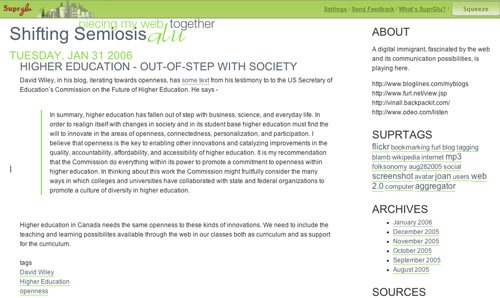
David Wiley, in his blog, iterating towards openness, has some text from his testimony to to the US Secretary of Education’s Commission on the Future of Higher Education. He says -

In summary, higher education has fallen out of step with business, science, and everyday life. In order to realign itself with changes in society and in its student base higher education must find the will to innovate in the areas of openness, connectedness, personalization, and participation. I believe that openness is the key to enabling other innovations and catalyzing improvements in the quality, accountability, affordability, and accessibility of higher education. It is my recommendation that the Commission do everything within its power to promote a commitment to openness within higher education. In thinking about this work the Commission might fruitfully consider the many ways in which colleges and universities have collaborated with state and federal organizations to promote a culture of diversity in higher education.


Higher education in Canada needs the same openness to these kinds of innovations. We need to include the teaching and learning possibilites available through the web in our classes both as curriculum and as support for the curriculum.

tags


Monday, January 30, 2006

More on Blogs


One of the interesting aspects of the web is that you don't always have to re-invent the wheel. Here is another page, called The New Learning Technologies Buffet, explaining what blogs are, with many examples of all types of blogs, including educational blogs.

Enjoy your meal ;-> http://learntech.pbwiki.com/TryBlogs

tags

Tuesday, January 24, 2006

A Blog to Follow


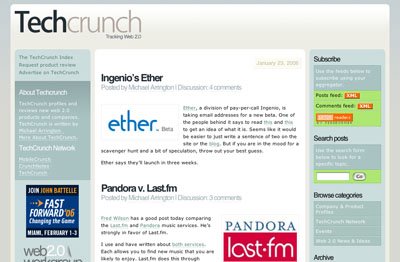
One of the most rewarding blogs in my Bloglines is TechCrunch. From TechCrunch, I have learned about all kinds of new applications, many of which are free. I recently read about a learning management system there - nuvvo - which is web-based. It's aimed at elearning, but I could see it being useful in a blended learning classroom environment as well.

Saturday, December 31, 2005

Using Blogs as part of Teaching

Yes the web is overwhelming, and information (knowledge?) management is a huge issue. There are solutions, but it takes a while to find them and then get into the habit of using them. That's the nature of the beast (feast)!

In my opinion, you do have to find a chunk of time almost every day but after the initial surveys of the terrain, you can decide on your focus and stay up-to-date in that area (depending on its breadth and complexity) with an aggregator (like Bloglines - which is free and easy to set up). I found this description of how a teacher could use Bloglines with a class really helpful - http://www.weblogg-ed.com/2004/03/03. After reading it I set up my own Bloglines account and now use it to track the educational blogs I'm interested in, scan their headings, and, if I'm interested in the topic, link to it and get the gist.

Blogs are being used more and more as part of teaching and learning. For a basic understanding of how to use blogs, check out Jakob Nielsen's info - http://www.useit.com/alertbox/weblogs.html - He's the senior acknowledged expert on web design.

http://www.weblogg-ed.com/why_weblogs provides an overview on using blogs in the classroom with lots of links to explore (Or not ;-> depending on your time and interest.)

Finally, here's a link to a short video describing the uses of blogging in high school - http://www.weblogg-ed.com/weblogs_in_ed_video

A friend says -
My feeling is that we have to treat "computer reading" like people used to treat reading the newspaper in the past. It was an activity that occupied a certain part of everyday.


and I agree.

tags


Monday, December 12, 2005

Shifting Semiosis

Two or three years ago I began talking about a "shifting semiosis" and I felt like Cassandra - although I wasn't prophesying a disastrous war, but rather a massive, fascinating and largely positive change. It was clear to me that we were at the start of a change in the way we humans signify meaning that would dwarf the printing press, audio & visual recording, and mass media combined. And now, in my daily newspaper, I find that my intuitive recognition is being substantiated.

I read an article, linked to this post's title, in the Toronto Star, www.thestar.com - called Old Idea, New Media. The subheading asks this provocative question -
Are you reading this text on paper, or as pixels? Does it matter? Some think not.

As newspapers realize that they sell content, not ink, their future is taking hold.

I put down my paper and went immediately to my computer and read the same story in pixels, because I wanted to share this increasingly undeniable change. I wanted to blog about it.

The article is about how newspapers are still remarkably profitable (many at 20% a year!)about how newspapers are a natural fit as a web portal, about how the papers' managers are finally beginning to realize that, and about how transportable digital downloads are coming. I picture these as much like ipods in function but looking more like paper or a book.

So, yes, our semiosis is shifting! Not that I expect any more attention to my message than Cassandra got to hers. (In some ways I wish I was more like Paul Revere;->)

The papragraph that electrified me, which follows, clearly indicates that the web is a platform, not a medium.
A newspaper of the future might employ web editors for each section of the paper whose task would be to rapidly accumulate multimedia content relevant to each story. Articles posted on reformulated newspaper sites will be accompanied by related photos, audio and video clips, speech transcripts, discussion forums and archival images from the CBC, CPAC, C-SPAN, the National Film Board and other partners.

Such wonders we are seeing as human communication continues its development
  • from speech and drawings
  • to (chirographic) writing
  • to printed text and engravings
  • to photography, audio recording, film, & television

and now to versions of all of these available asynchronously on the World Wide Web!

Wednesday, December 07, 2005

Students' Computer Patterns

Here is a current, brief, informative interview with Robert Kvavik on how students are using computers, and their attitudes towards how computers are being used in education. Mitchell Weisburgh quotes Kvavik as saying -
It’s not that tech doesn’t affect learning, it’s that we are only at the beginning of seeing how tech can be used in support of that goal.

I think he makes a truly important observation here -
One of the interesting things with Google is when you ask a question, you always get an answer. But you don’t know if it’s a good answer. So how do you show students how to sort that and digest it so they can tell the difference?

One of the things is that these students have more and quicker access to information than our generation did, but there would be a great benefit to learning how to winnow it out and apply it in a sophisticated way to a problem.

All teachers in all classes should be modelling and teaching how to evaluate the information found on the web, in my opinion, as a part of learning the content of courses.
On course management systems, Kvavik has this to say about student attitudes:
To the extent the faculty uses the CMS so that students can take sample tests, access readings, contact the professor, and submit assignments; the CMS has made it easier for the students. The biggest complaint is that the use is not consistent, it’s only used in about 20% of the classes in a lot of the institutions. Why in one university, would the Poli Sci dept decide not to use the CMS at all while the history dept is 90% using it? Students do not like the inconsistency.

Altogether an interesting read - I recommend it.

Tuesday, December 06, 2005

Academic Research - The Process is Changing

Academic research is changing, just as academic writing has changed with the arrival of the computer. Academic writing is radically different since I was an undergrad many years ago. When I wrote my Ph.D. thesis a year and a half ago, I made rich use of the capabilities of word-processing as an integral part of my writing process. I used Styles for my headings and for generating a table of content. I used the caption feature to describe the images I inserted, and to generate a table of figures. Of course I used the spell checker and the word count and all the flexibility of copy-and-paste. Plus I made sure the font was attractive and readable, and for my particular thesis, I used the font to help deliver the meaning. Writing with a word processor is more fun, more visual, and easier than the ugly old manual typewriters of my youth.

I also used EndNote to make my citing much easier and to generate my "Works Cited", and I paid highly for the privilege; it was expensive. During the process of writing my thesis, I was forced to switch from an IBM laptop to a Mac iBook; (don't ask.) I had to pay again for EndNote to get a Mac version. But anything was better than the picky work of sorting out the anal details of citing the the "Works Cited".

(These days I point my students to easybib http://www.easybib.com where they can generate MLA bibliographies for free and APA for, I think, about $6.00 U.S. a year. Not quite as good as EndNote but much cheaper.)

And now researching and citing is going to get much easier, in the same way creating a document got much easier with the advent of the computer and wordprocessing.

I wrote a couple of months ago about changes coming for the University of Toronto library and for all the Ontario universities - http://elgg.net/vinall/weblog/2769.html - and today Stephen Downes http://www.downes.ca/ posted a link to this site - http://echo.gmu.edu/toolcenter-wiki/index.php?title=Firefox_Scholar_(aka_SmartFox) - on the upcoming SmartFox.

SmartFox will enable users, with a single click, to grab a citation to a book, journal article, archival document, or museum object and store it in their browser. Researchers will then be able to take notes on the reference, link that reference to others, and organize both the metadata and annotations in ways that will greatly enhance the usefulness of, and the great investment of time and money in, the electronic collections of museums and libraries. All of the information SmartFox gathers and the researcher creates will be stored on the client's computer, not the institution's server (unlike commercial products like Amazon's toolbar), and will be fully searchable. The Web browser, the premier platform for research now and in the future, will achieve the kind of functionality that the users of libraries and museums would expect in an age of exponentially increasing digitization of their holdings.

SmartFox is being developed by the Center for History and New Media (CHNM) at George Mason University with funding from the Institute of Museum and Library Services (IMLS).


Being a scholar is becoming more and more about knowledge and ideas and less and less about arcane processes and details. And that's great, in my opinion